Convert any live website URL into an iframe and embed
it anywhere with
our easy-to-use iframe generator,
including options for shadow, border, and responsive or fixed width. Live preview of your iframe is also
available.
I believe you guys are already aware of the HTML tag called iframe. It is commonly used to embed content
from
one website into another.
For example, if you have Website A and Website B, and you want to display content from Website B inside
Website A, you can simply use an iframe. It’s very straightforward and widely used across the web.
You’ll be
surprised to see how many websites use iframes. Best of all, it doesn’t require advanced coding skills.
You’ll be surprised to see that many popular websites like YouTube, Facebook, Google Map and even X
(Twitter)allow people
to embed their content using iframes.
For example, you can easily embed YouTube videos, Google map or Facebook posts into your own website. And
it’s
not limited
to just social media — iframes support a wide range of different types of media and websites.
What is iFrame-Generator.com ?
So this iFrame-Generator.com is a free online tool that helps you to create iframe code for your website.
It
is very
easy to use and doesn’t require any coding skills. You can create iframe code for your website in just a
few
clicks and embed anywhere.
How to use this iframe maker tool
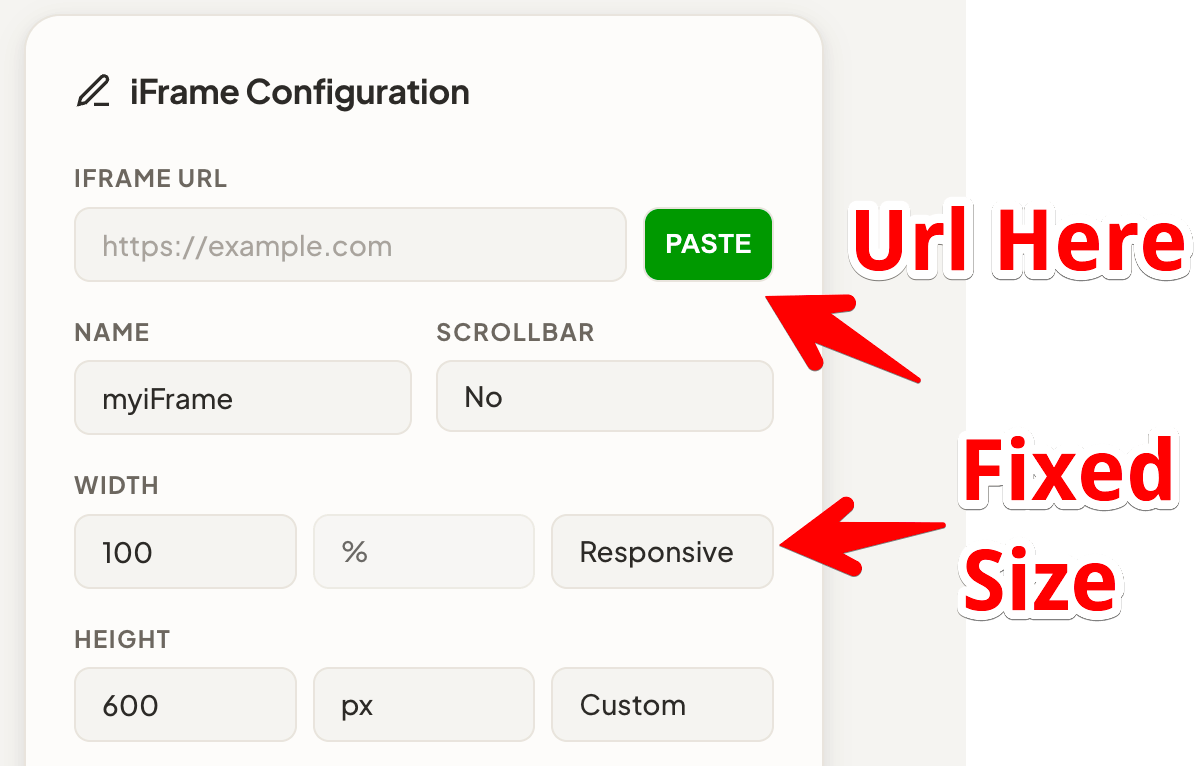
Using this website is pretty easy. You don’t have to do much — simply enter your URL in the input box.
The input box is located on the right side of the website. You’ll see a section labeled “Iframe
Configuration”
(or similar). Just paste your URL there, and the website will automatically generate a live preview of
the
embedded content on the left side.
Border & Shadow Styling of Iframe
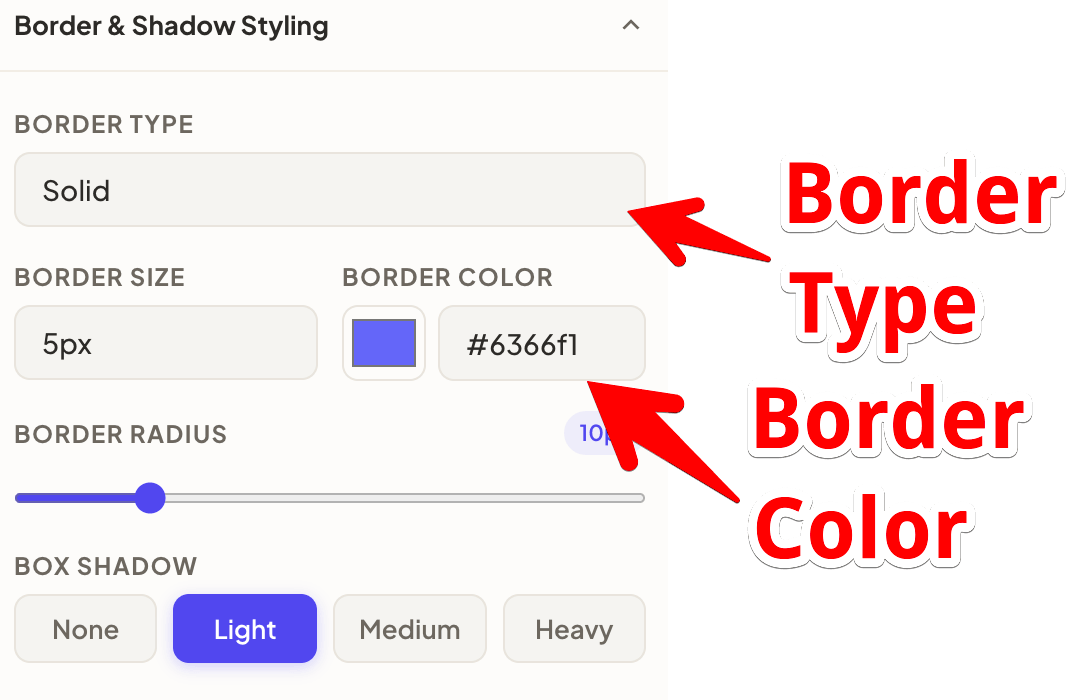
We have also recently added several useful customization options, such as border style, border color, border
thickness, and box shadow.
You can set the border thickness from 1px to 10px.
Choose from different border styles like solid, dotted, double, etc.
You can also apply various shadow effects to make your iframe look more stylish.
If you don’t want any border or shadow, simply select the None option.
These newly added options give you better control to customize the appearance of your iframe.
Security & Attributes of Iframe
Use of loading="lazy" attribute in Iframe
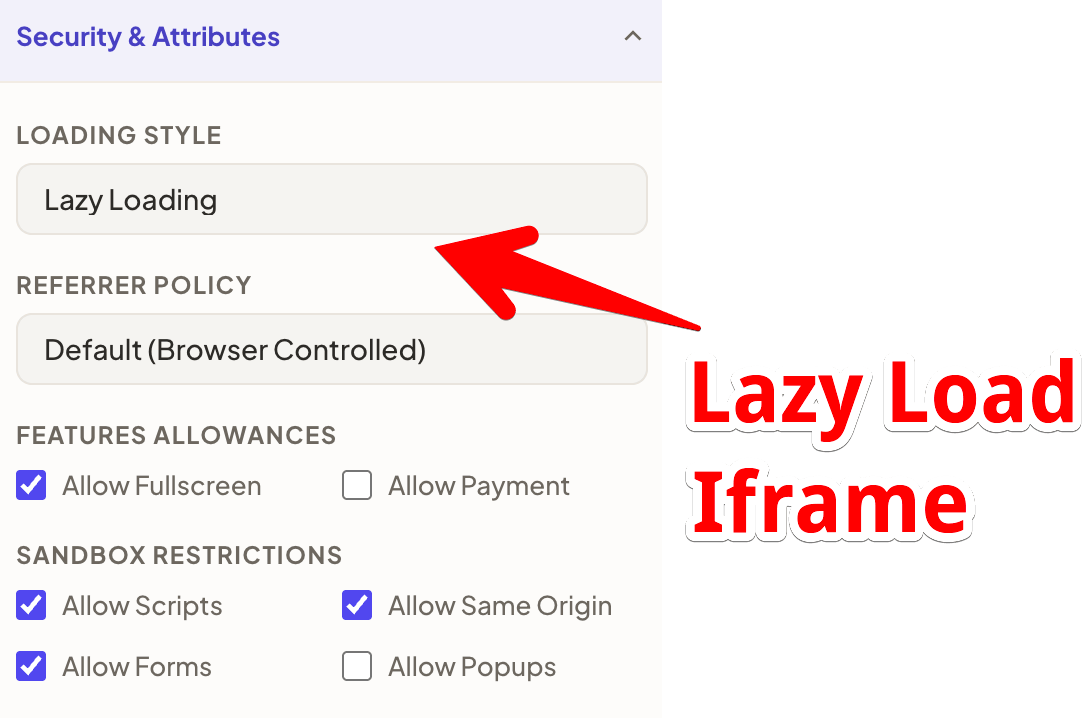
Now, when it comes to loading speed, we have added a useful option called loading="lazy".
This is a modern technique widely used by browsers today. It prevents the browser from loading or
rendering
an iframe until it comes into the user’s viewport (i.e., when it becomes visible on the screen).
As a result, your main website loads faster without being blocked, and the iframe only loads when
needed.
Not just lazy loading — apart from that, we’ve also added support for controlling various permissions
through
sandbox options.
For example, you can allow fullscreen mode, but if you don’t want users to make the iframe
fullscreen,
you
can
simply disable it.
The same applies to scripts — if you want to allow scripts to run outside the iframe, you can
enable that
as
well.
We’ve also included options for allowing popups, forms, and same-origin access.
These sandbox controls ensure that embedded iframe sites cannot misuse your website. That’s
why we’ve
added
these flexible sandbox options.
Can you make iFrame of any Link and Embed?
See, there are some websites that do not allow their content to be loaded inside an iframe. So issues are
there.
However, if you test any link in the input box and you can see a preview, that means the website is
allowing you to use it in an iframe. In that case, you can safely use it without any worry because the
preview is showing. That's it.
Contact Us
If you have any work opportunities or would like to offer me a project, here is my email address
[admin@rankarhub.com] . You can
directly get in touch with me via email, or you can also WhatsApp me at +91-7278316187 .
If you have any work related to HTML coding, I would love to take it up.
 We have also recently added several useful customization options, such as border style, border color, border
thickness, and box shadow.
We have also recently added several useful customization options, such as border style, border color, border
thickness, and box shadow.
 Use of loading="lazy" attribute in Iframe